

Team
5 designers
Tools
Figma
Miro
Balsamiq
Role
Product Designer
Timeline
5 Weeks
Client
Alusurf research project, Halmstad University, with Svenskt Aluminium and Thule
Methods
Interviews, MoSCoW, information architecture, Crazy 8, card sorting, Nielsen heuristic evaluation, user testing
01 - Context
An Industry That Agrees in Writing and Disagrees in Production
Extruded aluminium is ordered with a written specification. The specification describes what the surface should look like: how matte, how smooth, how the texture runs and both parties sign it before production starts.
The industry grades those surfaces on a scale from 1 to 6. In practice the scale is applied inconsistently: a buyer and a seller can both write “4” and mean different things. Surface issues account for a large share of all complaints, and every complaint means material that is scrapped, reproduced and shipped again.
Svenskt Aluminium initiated the Alusurf research project to address this. We were asked to design a tool that could classify visual requirements on metal surfaces.
02- Problem
A Number Carries No Image
The problem was not that the scale was too coarse. It was that two people reading “4” have no shared reference to check themselves against.
Three consequences, all of which showed up in the interviews:
Unnecessary complaints, because the delivered surface doesn’t match what the buyer pictured
Scrapped material and interrupted production
Meetings that end in agreement and later turn out not to have been agreement


03- Research & Insights
Three Points in the Chain
Neither aluminum nor B2B manufacturing was territory I knew going in. Alongside Alusurf’s own material and independent reading on extrusion and surface treatment, we interviewed three points in the chain: a demanding buyer, the organization that initiated the project, and a production worker on the line.
The interviews mattered more than any secondary research.
A buyer with high surface requirements. They send a drawing and a specification, and the drawing dictates the surface. Their answers showed how much of the agreement rests on a document neither side can visualise.
Svenskt Aluminium — the initiator
They confirmed the core problem directly: the 1–6 classification is nearly impossible to apply consistently, because nobody agrees on what each number looks like.
A production worker on an extrusion line
The interview that changed most. He explained that some defects cannot be prevented at all; chips inside the machinery produce marks nobody controls. When a fault appears, the whole pallet is checked piece by piece.
That conversation set a limit on what the tool could reasonably promise. It could make expectations explicit. It could not make defects disappear.
Key insight
Both sides of a deal care most about seeing the surface, not reading a description of it. That single finding became the key point: visualization first, terminology second.
04- Process
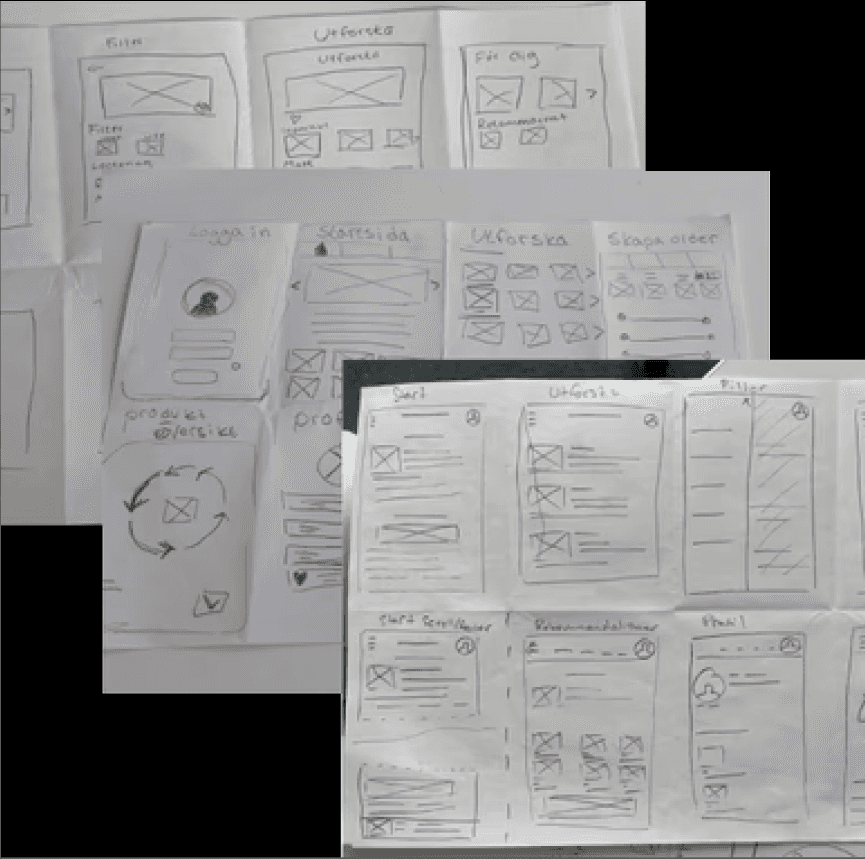


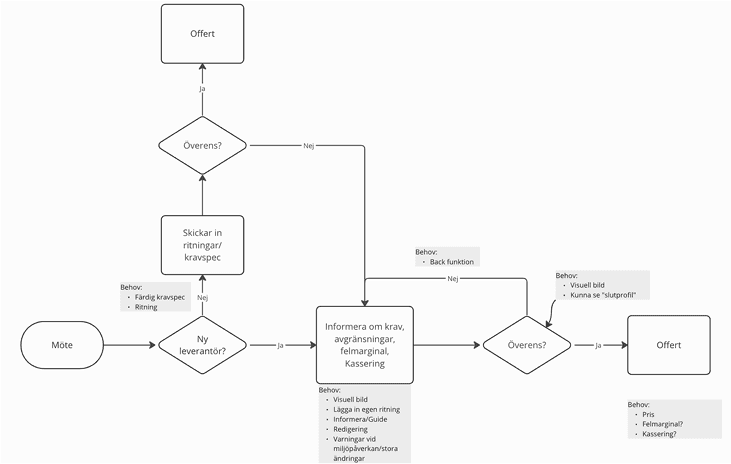
To make sense of the interviews, I helped code and theme the transcripts, then mapped the full journey from first customer meeting to signed agreement as a user journey flagging exactly where confusion, back-and-forth, and unmet needs appeared along the way.
With the scope defined, I built out the information architecture: a sitemap for the tool’s structure, and a requirement hierarchy where I decided, for instance, that customers should first say what they want (“effects”) before what they don’t want (“defects”), a small sequencing decision, based directly on stakeholder feedback, that changed how the entire negotiation flow felt.
05 - What Testing Changed
What Testing Changed
We evaluated the interface against Nielsen’s ten heuristics, ran A/B comparisons of the two concepts in critique sessions, and tested with an employee at Thule.
Product information: the page was doing too much
Testers found it inconsistent to have to decide batch size and expected lifetime first, and thought the progress arrows should sit inside the grid rather than beside it. We moved the arrows to the top, merged product information and technical requirements onto a single page, and moved batch size, core value and expected lifetime to the end of the flow.
Partial surface defects: too many buttons, too much empty space
Testers found the sliders small and hard to read, and the layout asymmetrical. We reduced the page to one information button, enlarged the sliders, and moved the 3D render inward to balance the page against the information panel.
Packaging and transport: text too small, whitespace unexplained
Testers did not understand why the price and environmental indicators were small and placed far down the page. We rebuilt the page around the 3D render and brought both indicators up beside it.
Every change above came from a test, not a preference.
06 - Solution
The Tool Has Three Parts
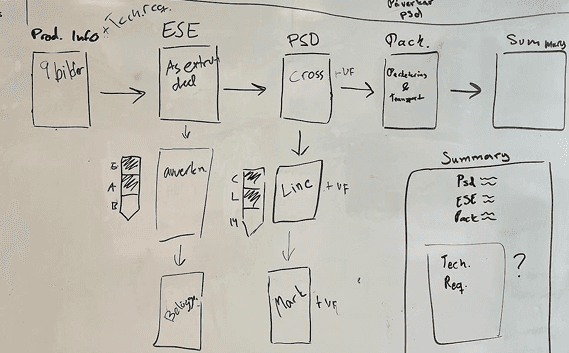
A visual agreement process. The buyer and seller work through the specification step by step — product information, surface effects, surface defects, packaging, summary. A 3D render of the profile updates in real time as values change, so both parties are looking at the same surface rather than at the same number.
Visible progress and reversibility. Arrows across the top show which step you are on and which remain. They are clickable in both directions, so a choice can be revisited without restarting the process.
An education section. Explore describes effects, defects, surface treatments and recycling, with images alongside the text. It exists because the interviews showed customers arrive at the meeting without a shared vocabulary. Logged-in users can save images to their profile and bring them to the meeting as reference.
Price and environmental impact are shown continuously, so the cost of a requirement is visible while it is being set rather than afterwards.

07 - Future Vision
What It Does Not Do Yet
A topographic heatmap view
Taken from Metalsurf’s final report, letting both parties assess the depth and height of a surface from more than one angle.
Responsive requirements
Some combinations are not manufacturable, such as a coating that cannot be paired with a given machining method. The tool should warn at the point of choice rather than at the summary, and colour the process arrows to show which earlier steps a change has affected.
Numeric values on the sliders
There is currently no figure indicating where a slider sits, which makes precise requirements hard to set or repeat.
08 - Impact
From Subjective Description to a Shared Reference Point
surface negotiation a shared visual reference —- subjective description
directly targeting the root cause of the reclamations, waste, and miscommunication
Usability testing with an actual industry buyer confirmed the direction resonated with the people who would use it daily, and my iterative testing measurably simplified the interface: fewer information icons, clearer sliders, and a navigation pattern that removed the disorientation early testers reported.
09 - Reflection
What I’d Do Differently
Carrying two concepts in parallel cost time, and for most of the project it felt like the wrong decision. It produced sharper critique than committing early would have, and the final concept was stronger for having had something to argue against. Next time I would keep the two concepts, but agree at the start on the date when one of them gets dropped.
The decision I would defend is the one about mobile. The tool renders a surface and depends on sliders; at phone width you can neither read the render nor set the values. Scoping a platform out is a design decision, not a limitation.